

Business owners
Know how your business is doing, without reading every chat
The summary shows new requests, unanswered chats, quotes, acceptance rate, and this month's transactions. Order reports sum up your sales, and Bos AI reviews your bot and team every night, then suggests improvements.
Illustration with sample data
Real challenges
What often happens without a system
No time to keep an eye on things
Owners can't possibly read hundreds of chats to know what's going on.
Uncontrolled access
All staff share one account and can see everything.
Problems found too late
Disconnected channels or unassigned chats are only noticed after customers complain.
Before vs after
What changes with Conex Bisnis
Solutions
Mapped to Conex features
Daily summary
New requests, unanswered chats, this month's quotes, acceptance rate, and this month's transactions.
Team, contacts & broadcastsOrder reports
Daily sales, best-selling products, cancellation reasons, processing speed, and top customers.
Orders & couriersBos AI
Reviews your bot and staff, sets daily targets, and raises issues such as disconnected channels (Pro).
Answered by AIRoles & permissions
Default roles on every plan, and custom roles on Pro.
Team, contacts & broadcastsCustomer reviews
Read and reply to reviews, filter them, and download them as CSV.
Get found by buyersBusiness verification
A verified badge builds buyers' trust in the Conex app.
Get found by buyersSample flow
From the first chat to completion
Illustrated flow with sample data.
- 1
Morning: open Ringkasan (Overview) and the Perlu tindakan (Needs action) list
- 2
Daytime: the team handles chats and orders
- 3
Night: Bos AI reviews the bot and team (Pro)
- 4
Next morning: accept or decline Bos AI's suggestions
Get started in 15 minutes
Setup checklist
Real steps in the business.conex.chat dashboard.
- Register at business.conex.chat with your WhatsApp number, choose your business category, then fill in the name, address, and map pin.
- Invite staff in the Tim & Peran (Team & Roles) menu, then share the invite link via WhatsApp.
- Apply for business verification in the Verifikasi (Verification) menu to get a verified badge.
- Open Automisasi (Automation), fill in the bot's knowledge, try it in the test panel, then turn the bot on.
- Pro turn on Bos AI in the Bos AI menu with the "Saya setujui dulu" (I approve first) mode.
- Open business.conex.chat in your phone's browser and add it to your home screen.
Features by plan
What you get on Free and Pro
No quota numbers here; each plan's quota is shown in the Paket & Kuota (Plans & Quotas) menu.
Free No time limit
Pro Rp149.000/month or Rp1.490.000/year. Compare plans
Good to know
- Bos AI reportsBos AI's daily report arrives as a notification in the dashboard. Reports via WhatsApp aren't available yet.
- PaymentFor now, payment is made in person. Online payment (QRIS, virtual accounts, e-wallets) is coming soon for verified businesses.
FAQ
Business owner FAQ
Does Bos AI make decisions on its own?
In "Saya setujui dulu" (I approve first) mode, every Bos AI suggestion waits for your approval. Bos AI never replies to customers.
How are Bos AI reports delivered?
As notifications in the dashboard. Reports via WhatsApp aren't available yet.
Can staff see reports?
It depends on their role's permissions. You decide.
Related solutions
See it from another angle
Branch managers
Hours, products, delivery fees, and staff per branch within one business.
See solution Business sizeSmall business with a team
Staff & roles, chat assignment, pipeline, broadcasts, Bos AI.
See solution TeamsSales
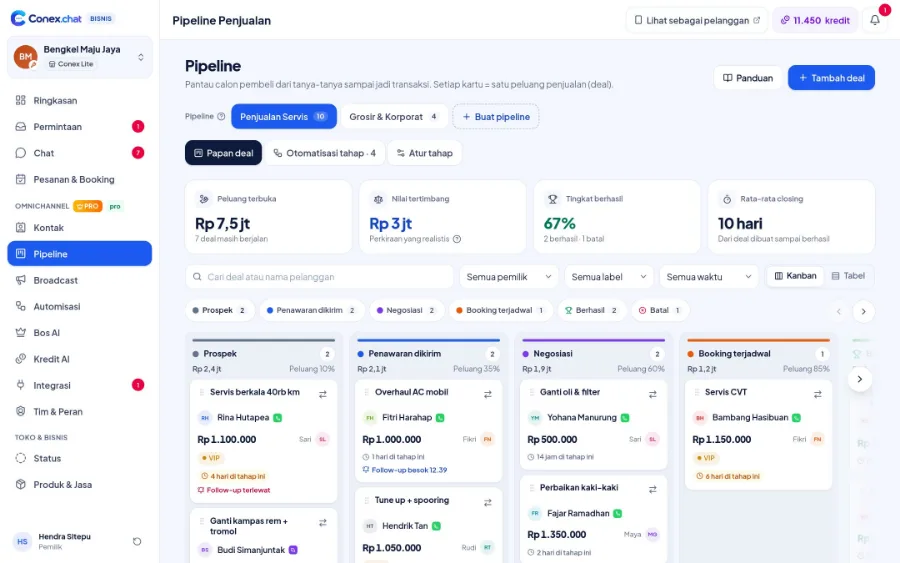
Pipeline, quotes, stage automations, and Bos AI daily targets.
See solution Needs24/7 auto-replies with AI
AI bot powered by your business knowledge, handing over to staff when unsure.
See solutionTry Conex Bisnis as a business owner
Register for free with your WhatsApp number, then follow the checklist above. Upgrade to Pro anytime.
