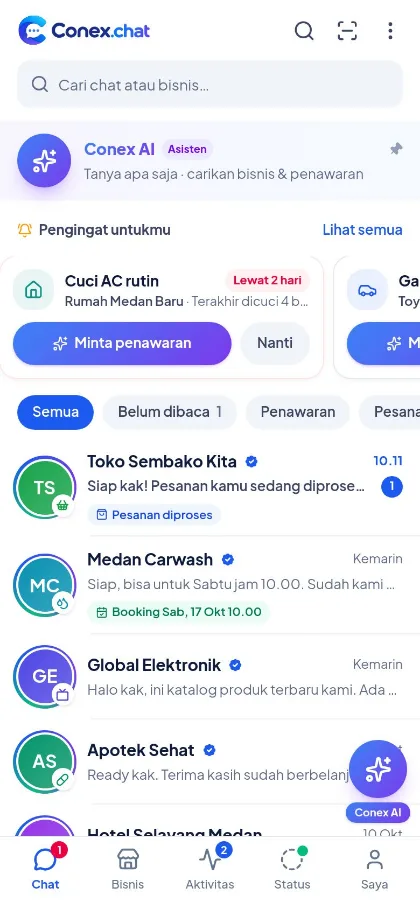
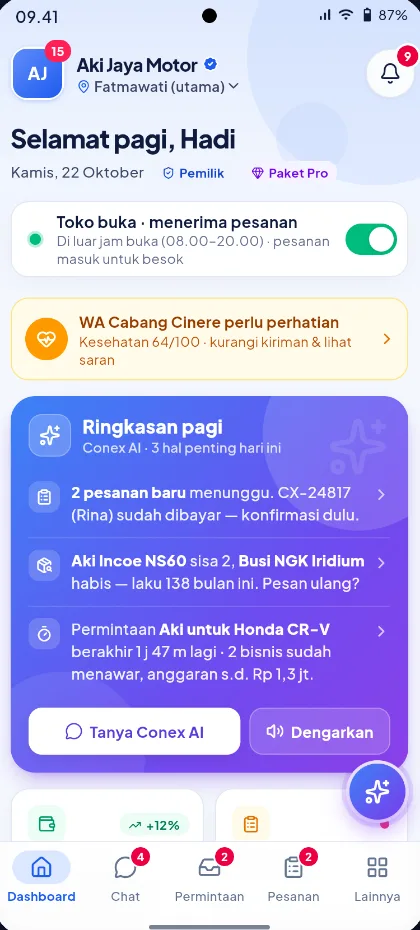
The Conex and Conex Bisnis Android apps are in testing and coming soon to Google Play. In the meantime, both are fully usable from your phone or laptop browser.
Android coming soon
Conex
For anyone looking for goods and services: ask Conex AI, request quotes, negotiate, and order via chat.
Visit web.conex.chat (users) or business.conex.chat (businesses) in Chrome or Safari.
Sign in with WhatsApp
Enter your WhatsApp number, then the verification code sent to it.
Add to home screen
Chrome: three-dot menu, then "Add to home screen". Safari: Share, then "Add to Home Screen".
Store courier?
Couriers invited by a business use Conex Kurir at kurir.conex.chat and sign in with their WhatsApp number.
FAQ
App FAQ
When will the Conex app be on Google Play?
The Conex and Conex Bisnis Android apps are in testing and coming soon to Google Play. We'll announce the release on the Conex website and blog.
Is there an iPhone version?
Not yet. iPhone users can use Conex at web.conex.chat and Conex Bisnis at business.conex.chat in Safari.
What's the difference between the web version and the app?
The account and data are the same. The web version works right away with nothing to install, while the Android app is designed specifically for phones.
How do I put Conex on my phone's home screen?
Open web.conex.chat in Chrome, tap the three-dot menu, then choose "Add to home screen". In Safari, tap the Share button, then "Add to Home Screen".

 Android coming soon