

AI credits
Use AI with peace of mind, with costs under control
Every AI feature in Conex Bisnis draws from one balance called AI credits. You can see where credits are spent, cap each bot's usage, and choose what happens when credits run out.
- Plan
- FreePro
- In the dashboard
- AI credits
- Group
- AI & Automation
What it is
AI credits
Like prepaid credit for all your AI features. One balance makes it easy to track and control AI costs.
Who it's for
- Owners who want a bot answering 24/7 with no surprise costs.
- Support teams using AI Suggestions and Reply with AI every day.
- Businesses running several bots on different channels.
What you get
AI credits in Conex Bisnis
One balance
Bot replies, AI Suggestions, Reply with AI, Polish text, reading knowledge documents, and Bos AI evaluations.
Monthly credits
Your plan's monthly allowance is used first and refreshes on the 1st of each month.
Usage & history
See usage by feature, bot, and channel, plus the last 60 days of history.
Limits per bot
Cap each bot's daily credits so one bot can't drain the balance.
Low-balance alerts
Set a balance threshold, and an alert appears in the dashboard when your balance drops below it.
Free testing
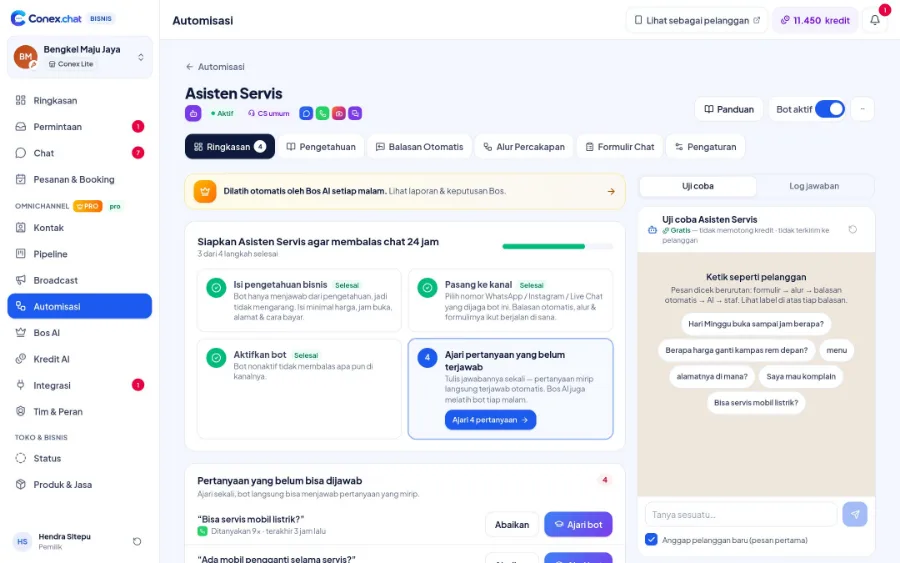
Trying out a bot in the Uji coba (Test) panel doesn't use credits.
Good to know
- Top-upsCredit top-ups via online payment are coming soon. In the meantime, contact the Conex team.
- QuotaEach plan's monthly credit allowance is shown in the Paket & Kuota (Plans & Quotas) menu.
How it works
Step by step in the dashboard
Menu names match business.conex.chat (in Indonesian).
- 1
Open Kredit AI (AI credits)
The Ringkasan (Overview) tab shows your remaining monthly credits, top-up credits, and refresh date.
- 2
Check usage
The Pemakaian (Usage) and Riwayat (History) tabs break down credits by feature, bot, channel, and team member.
- 3
Set bot limits
In the Pengaturan (Settings) tab, set a daily credit limit for each bot.
- 4
Set alerts
Set a low-balance threshold so you're notified before credits run out.
- 5
Decide what happens when credits run out
Choose to hand chats over to staff or pause the bot.
Key settings
- Alert threshold
- Between 10 and 50,000 credits.
- Daily limit per bot
- A bot stops using credits once its daily limit is reached.
- When credits run out
- Hand over to staff or pause the bot.
- Top-up permission
- Owner only, or allow Admins.
Limits & rules
- Usage order
- Monthly credits are used first, then top-up credits.
- Monthly reset
- Unused monthly credits expire on the 1st of each month.
- Top-ups
- Online payment for top-ups is coming soon.
Use cases
Used across many businesses
Online stores
The WhatsApp bot gets a daily limit so a surge of chats during a promo doesn't eat up credits meant for other bots.
Online store solutionClinics
When credits run out, chats are automatically handed to staff so patients are still looked after.
Clinic & healthcare solutionsIntegration with other features
Works together with other features
Problems it solves
This feature helps when…
FAQ
Questions about AI credits
Which features use AI credits?
AI bot replies, AI Suggestions, Reply with AI, Rapikan teks (Polish text), reading documents for bot knowledge, and Bos AI evaluations. Each feature's rate is shown in the Kredit AI (AI credits) menu.
How many credits does one bot reply use?
One AI bot reply uses 1 credit at the default rate. Keyword replies and out-of-hours messages don't use credits.
Do unused monthly credits roll over to the next month?
No. Monthly credits refresh on the 1st of each month and any remainder expires. Top-up credits are used after monthly credits run out and are valid for a set period.
What happens when credits run out?
Whatever you chose in the Pengaturan (Settings) tab: chats are handed over to staff, or the bot is paused until your balance is topped up.
Who can top up credits?
The owner. The owner can also allow Admins to top up.
Does the Free plan get AI credits?
Yes, the Free plan gets a monthly credit allowance for the AI bot. The Pro plan gets a bigger allowance.
How are balance alerts sent?
As notifications in the dashboard and a balance indicator that changes color. Alerts via WhatsApp are coming later.
Related
Related features & solutions
AI bot & knowledge
How the bot answers: rule order, knowledge, testing, learning.
Learn more FreeAI Suggestions & Reply with AI
Reply drafts, reply with AI, and text polishing for staff.
Learn more ProBos AI
AI manager: reviews the bot & staff, daily targets, escalations, Ask the Boss.
Learn more Needs24/7 auto-replies with AI
AI bot powered by your business knowledge, handing over to staff when unsure.
See solutionTry Conex Bisnis for free
Register with your WhatsApp number, fill in your profile, and start receiving chats today.
